
From coding on my laptop to coding in the cloud: a personal DGX Spark I drive from any device
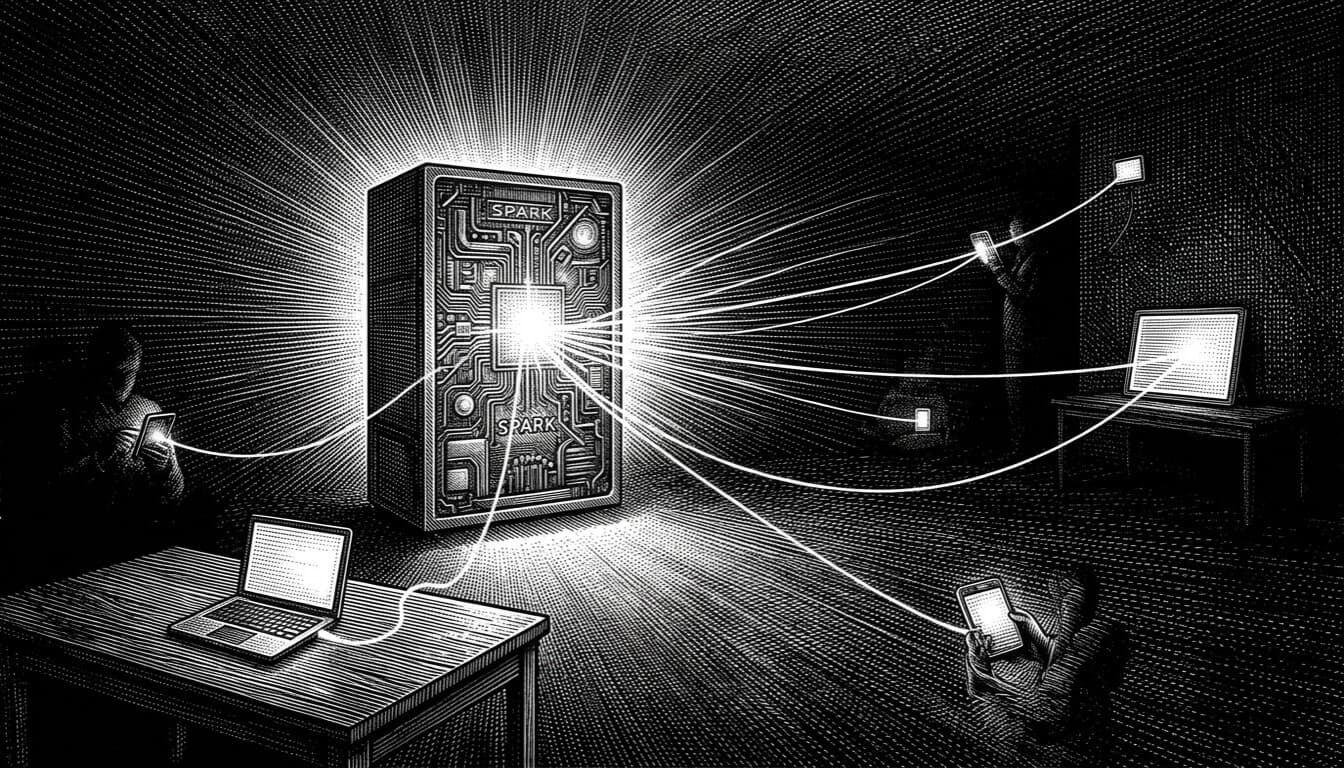
For as long as I've been using them, my coding agents lived on my laptop. That's the default and nobody questions it: the editor is there, the agent runs there, the work happens there. The problem is everything is tied to that one machine. The session dies when I close the lid. The agent stops when the laptop sleeps. Move to the couch with my phone and there's nothing to pick up. The work is hostage to a single device.
I wanted the opposite. Agents that live on an always-on box, that I drive from whatever I'm holding, where closing my laptop doesn't kill anything because the laptop was never doing the work. Coding in the cloud, except the cloud is my own hardware.
A DGX Spark made that the obvious move. The little GB10 machine has a real GPU and a pile of unified memory, it sits in a corner and never turns off, and it's headless by design. This post is the setup as it runs today: how I reach it, how one session follows me from the box to my laptop to my phone, and how it all stays private behind a login.
The box, and the rules a shared machine sets
The Spark isn't only mine. A few people have accounts on it, and that one fact shapes everything that follows. Every home directory is mode 750, so what one account creates, another can't read. That's the isolation model, and I leaned into it: everything I set up runs as my user, in my home, so any token or credential I create stays mine.
The cost is that I can't lean on system-wide installs or sudo for the fun parts. Node, the agent CLIs, the tunnel, the background services: all of it lives in my home directory through nvm and user-level systemd units. The one piece of glue that makes a personal setup behave like a server is lingering:
loginctl enable-linger "$(whoami)"
Without it, your user services die the moment your last session ends. With it, they start at boot before anyone logs in. That single line is the difference between "a program I left running" and "a service that's always there".
No public door: SSH over a Cloudflare Tunnel
The Spark has no public SSH port at all. Its SSH rides a Cloudflare Tunnel, so there's nothing on the open internet to scan, brute-force, or dial. Reaching it means going through Cloudflare's edge, which means I authenticate before a packet ever touches the box.
On the laptop that's one host entry. cloudflared is the transport, and the ProxyCommand is what turns "no public port" into "one command away":
Host spark
  HostName dgx.example.com
  User dev
  ProxyCommand /opt/homebrew/bin/cloudflared access ssh --hostname %h
  IdentityFile ~/.ssh/spark_key
  IdentitiesOnly yes
  LocalForward 3000 127.0.0.1:3000
  LocalForward 3001 127.0.0.1:3001
ssh spark and I'm on the machine. The two LocalForward lines pull the browser control plane (port 3000) and whatever project it's serving (3001) back to my Mac, so localhost:3000 is the control plane and localhost:3001 is the live project. Stable host, port per project.
This is the simple, private path for when I'm at my desk. The catch is the same as always: it's tied to that terminal. Close the laptop and the forward dies. Which is exactly why the browser side needs its own front door.
A real front door: Cloudflare Access for the browser
The control plane is a web app, so SSH port-forwarding only helps when I have a terminal open. To reach it from a phone, or from any browser without first opening a shell, the services need a real URL: gated, on my domain, with Cloudflare Access in front so a login stands between the internet and a box that can run code.
cloudflared tunnel login
cloudflared tunnel create spark-personal
cloudflared tunnel route dns spark-personal spark.example.com
Then an ingress file maps spark.example.com to http://localhost:3000, plus a hostname per preview port, and the tunnel runs as another user service. Two things here cost me real time and are worth stating plainly:
- You can't put a port on a public hostname.
spark.example.com:3001routes nowhere. Cloudflare serves the hostname on 443 and the real port lives inside the tunnel config, invisible from outside. The fix is a hostname per port, not a port on the URL. - The free certificate covers exactly one level of subdomain. I named preview hosts
3001.spark.example.com, two levels deep, and every one failed the TLS handshake whilespark.example.comworked fine.*.example.comdoesn't match3001.spark.example.com. Flatten the names to3001.example.comand they work.
The rule I make myself follow: never start the tunnel before the Access policy exists. The control plane can run code on the box; a few minutes of it sitting unauthenticated on a public hostname is a few minutes too many. Lock first, then open the door.
For throwaway shares I keep the other Cloudflare trick handy. cloudflared tunnel --url http://localhost:3001 spins up a random public link in seconds, no DNS and no account, the same idea as ngrok. The difference is it runs on the always-on box, so the link survives my laptop going to sleep. Anyone with the URL can see it, so I treat those links as disposable and kill them when I'm done.
The control plane: a coding agent in the browser
The centerpiece is T3 Code, an open-source control plane that drives coding agents from a web UI. It runs as a server and you talk to it through the browser, which is exactly what I want on a headless box: no editor to install on the client, no state on the device I happen to be holding.
There's no Node on the Spark by default, so nvm first, then Node, then the tool:
curl -fsSL https://raw.githubusercontent.com/nvm-sh/nvm/v0.40.1/install.sh | bash
nvm install 22
npm install -g t3
It runs headless with a serve command, binds to 127.0.0.1 on purpose, and prints a one-time pairing token. I wrapped it in a systemctl --user service so it survives logout and reboot. With lingering already on, that's the whole persistence story. It comes back on its own after a power blip and I never think about it again.
Because it listens on loopback, nothing is exposed by the control plane itself. How I reach it is the decision I already made twice: the SSH forward from my desk, the Cloudflare Access hostname from everywhere else. Same server, two doors.
One session, every device
This is the part that makes it feel like cloud coding instead of remote coding. I want a single Claude Code session that I can touch from the box, my laptop, or my phone, not three sessions I keep mentally reconciling.
The base layer is tmux. You start tmux first, run the agent inside it, and when your connection drops the agent keeps going; you reattach later from anywhere. Order matters, and I learned it the wrong way round: tmux has to wrap the program from the start. Start claude in a bare shell and you can't pull it into tmux afterward. It can't adopt a process that's already running.
So the box runs claude inside tmux, with Remote Control on by default. From there the same session reaches every device:
- On the Spark, it's just the tmux session at the console.
- On my laptop, I
ssh sparkand attach the tmux session, or open the T3 Code control plane in the browser. Close the lid and nothing stops; the agent was never running on the laptop. - On my phone, the session shows up in the Claude app, T3 Code is a gated URL away in a mobile browser, and Termius over SSH gives me the raw tmux session when I want a real terminal.
The phone is where I had to learn something. A Claude Code session running on your own server over SSH does not show up in the mobile app. The app lists cloud sessions and Remote Control sessions, and an SSH-host session is a direct desktop-to-server link that never registers with the relay. What does register is Remote Control, and Remote Control runs wherever the claude process runs, including the Spark. So the same session I attach over SSH on my laptop is the one that appears on my phone through the relay. Desktop attaches over SSH, phone connects through Remote Control, both driving the same agent on the GPU box.
Termius gets me the other half on iOS: the raw terminal, the actual tmux session with its panes, not just the agent's turn-by-turn view. The catch is that an iOS SSH client can't run the cloudflared ProxyCommand my laptop leans on, which is the whole reason a plain SSH app used to have nothing to dial. Cloudflare's WARP app closes that gap: enroll the phone in my Zero Trust org and WARP puts the device on the Cloudflare network, so the tunneled hostname resolves like any normal host. Termius then connects to spark directly, no proxy command, and I attach the same tmux session and reattach the claude running inside it.
That's the workflow I was after: start a session on the Spark, continue it on the laptop at my desk, close everything, and pick it up on my phone on the train: same context, same agent, no handoff. The device is just a window.
VS Code over SSH, when I want to touch files by hand
The agents do most of the work, but sometimes I want to browse the project and edit a file myself. VS Code's Remote-SSH extension does this cleanly, and the nice part is it reuses the exact SSH setup I already have.
Install Remote - SSH in VS Code, then Connect to Host and pick spark, the same ~/.ssh/config entry from earlier, cloudflared ProxyCommand and all. VS Code installs a small server component on the Spark the first time (the GB10 is arm64, and the linux-arm64 remote server is supported, so this just works), and from then on the file tree, the integrated terminal, search, and git all run against the box's filesystem. I'm editing the real files on the Spark, not a copy.
It layers neatly on top of everything else: the agent runs in tmux, the control plane is in the browser, and when I want a human-in-the-loop moment, VS Code opens straight onto the same project over the same tunnel.
Because it's a GPU box: some work never leaves it
The Spark is also running a llama.cpp server, OpenAI-compatible, serving a few quantized Qwen models off the GPU. Wiring those into a coding agent is the one place I'd save you a detour: recent Codex dropped the chat-completions API for the newer Responses API, and llama.cpp serves chat completions, so the obvious provider no longer speaks the local server's dialect.
OpenCode was the answer. It takes any OpenAI-compatible endpoint as a custom provider, which is the exact shape of a local model server:
{
  "provider": {
    "local": {
      "npm": "@ai-sdk/openai-compatible",
      "name": "Local models",
      "options": {
        "baseURL": "http://127.0.0.1:11434/v1",
        "apiKey": "{env:LOCAL_API_KEY}"
      },
      "models": {
        "qwen-moe": { "name": "Qwen MoE (local)" }
      }
    }
  }
}
The Qwen models are reasoning models, so with a tiny token budget the visible answer comes back empty while the model is still thinking; give it room and the real text lands. A coding agent never caps it that low, so in practice it's a short pause before the first tokens.
This isn't only an OpenCode trick. The same local endpoint plugs into T3 Code, so the browser control plane can drive a local model instead of a cloud API: same UI, same gated URL, same session-from-any-device story, just with the work staying on the GPU. Claude Code over the cloud is what I reach for most, but having local models a model-picker away means some of the work can run entirely on the box and never leave it.
Making it survive a reboot
A personal server is only as good as its behavior after a power cut. The control plane, the tunnel, and the Claude session are all systemctl --user services with lingering on, so they come back at boot before I log in. The background agent that runs in a Docker container has restart: always with the Docker daemon enabled, so it returns when the daemon does.
I tested the Claude one instead of trusting it: stopped the service, which kills the tmux session, then started it, which is what a reboot does. A fresh session came up already logged in, Remote Control active, sitting at the prompt. Better to catch a broken boot path while I'm watching than after an outage when I'm not.
Where this leaves me
The coding moved off my laptop. The agent lives on an always-on box behind a login, the control plane is a browser tab on any device, and one session follows me from the Spark to my desk to my phone without a handoff. When I want to drop into the files myself, VS Code opens onto the same machine over the same tunnel. The laptop went from being where the work happens to being one of several windows onto where the work happens.
Next I want to push more of the agent work onto the local models instead of cloud APIs and see how far a quantized Qwen gets on real tasks. That's the next post (probably).